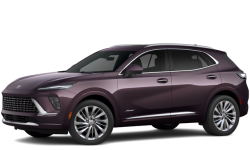

More Screen, Less Distraction: The Advantage of the 30-Inch Display in the 2025 Buick Envision
September 25 2025,
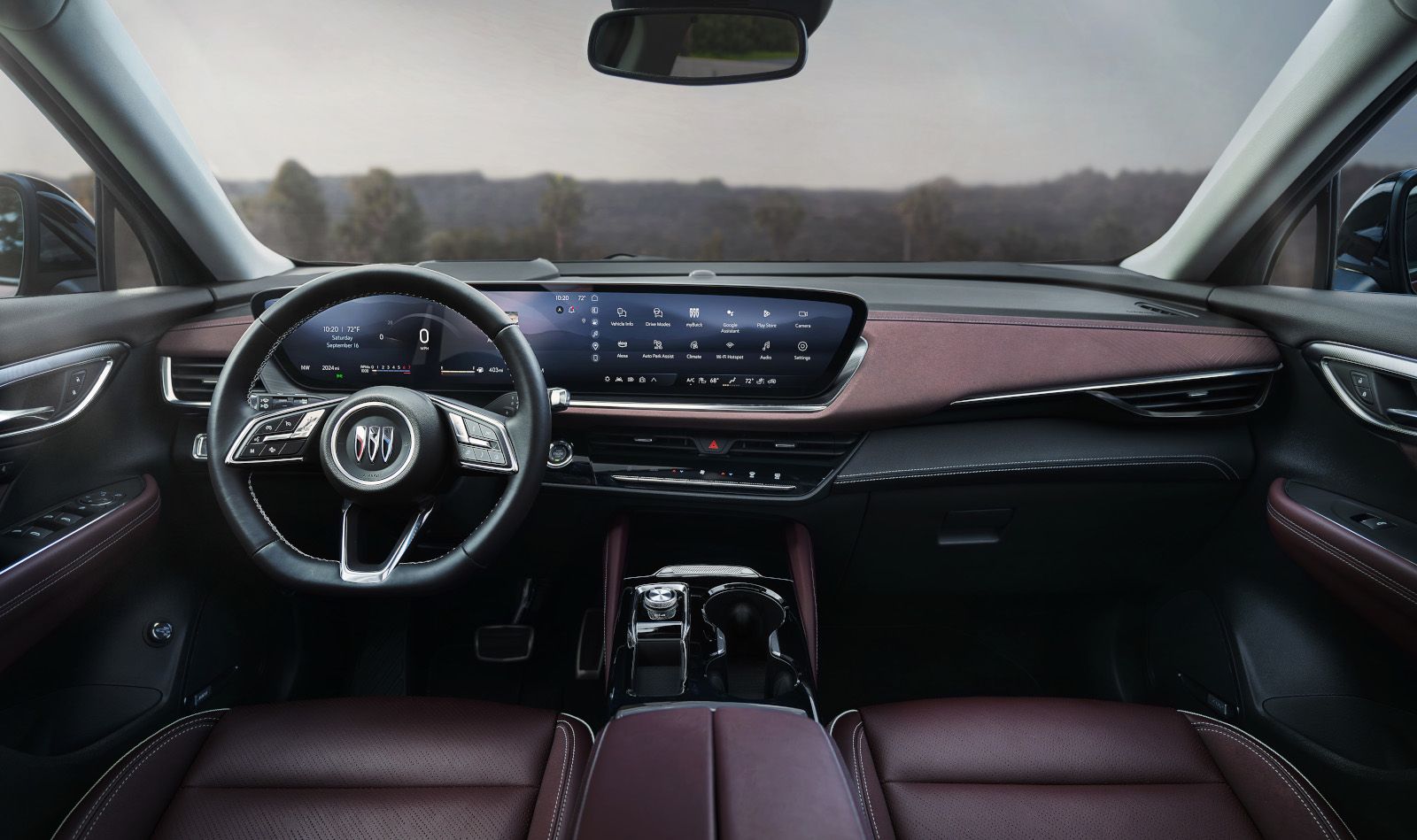
The dashboard arms race in luxury SUVs has produced increasingly large touchscreens, with many prioritizing size over functionality. The 2025 Buick Envision's 30-inch ultrawide display takes a different approach — prioritizing usability and safety over sheer size for size's sake.
For drivers in Quebec who spend substantial time navigating both city traffic and highway conditions, the way information is presented matters as much as the amount of screen real estate. The Envision's display design focuses on reducing driver distraction while providing the information you actually need.
Screen Size That Makes Sense
The Envision's 30-inch diagonal display spans the width of the dashboard, integrating both infotainment and driver information into a single, cohesive interface. This ultrawide format allows multiple functions to be visible simultaneously without requiring constant menu navigation.
Unlike systems that force you to switch between screens for different functions, the Envision display can show navigation, climate controls, and media information at the same time. This means fewer button presses and less time looking away from the road.
Key display advantages:
- Multiple functions visible simultaneously
- Clear, high-resolution graphics
- Integrated driver information and infotainment
- Logical layout reduces menu diving
Physical Controls Where They Matter
While many luxury SUVs have moved all climate controls to touchscreen menus, the Envision retains physical controls for essential functions like temperature adjustment and fan speed. This hybrid approach provides the best of both worlds — advanced technology with tactile feedback for the controls you use most often.
During Montreal winters, being able to adjust heat or defrost settings without navigating through touchscreen menus becomes a safety advantage. Your hands can find the physical controls without taking your eyes off the road.
Information Layout That Works
The ultrawide format allows the Envision to display information in a more natural, left-to-right layout that matches how we read and process information. Navigation instructions appear on one side, media controls in the center, and vehicle information on the right — all simultaneously visible.
This contrasts with traditional square screens that require constant switching between different information screens, creating distraction as you hunt for the function you need.
Comparison with Competitor Systems
|
Feature |
Envision Advantage |
Typical Competitor Issue |
|---|---|---|
|
Climate Controls |
Physical buttons remain accessible |
All controls moved to touchscreen menus |
|
Information Display |
Multiple functions visible simultaneously |
Requires switching between different screens |
|
Screen Layout |
Wide format matches natural eye movement |
Square screens create cramped information display |
|
Driver Integration |
Single unified interface |
Separate driver display and infotainment |
Safety Through Better Design

The Envision's display philosophy prioritizes driver attention management. By keeping essential controls physical and presenting information in a logical layout, the system reduces the cognitive load required to operate vehicle functions.
Studies show that drivers spend less time looking at interfaces that present information clearly and allow multiple functions to be visible simultaneously. The Envision's wide format enables this kind of efficient information display.
Real-World Usage Benefits
During daily driving in Montreal, the advantages become apparent in common situations:
Highway Driving: Navigation instructions remain visible while music controls are accessible, eliminating the need to switch screens when changing audio sources during long trips.
City Navigation: Climate adjustments can be made using physical controls while following turn-by-turn directions, maintaining focus on complex urban intersections.
Parking: The system can simultaneously display parking camera feeds and climate information, useful when adjusting settings while maneuvering in tight spaces.
Technology Integration
The 30-inch display works smoothly with Google built-in compatibility, allowing voice control for many functions while maintaining the visual interface for confirmation. This dual-input approach — voice plus visual — provides flexibility for different driving situations.
Wireless Apple CarPlay and Android Auto integration means your smartphone functions appear naturally within the wide display format, rather than being crammed into a small section of a square screen.
Which Display Approach Suits You?
Choose the Envision display if:
- You value physical climate controls for safety and convenience
- You prefer seeing multiple functions simultaneously
- You spend substantial time in stop-and-go traffic where display clarity matters
- You want advanced technology without sacrificing usability
Consider alternatives if:
- You prefer all-touchscreen interfaces
- You rarely use multiple vehicle functions simultaneously
- You're comfortable with menu-driven systems
Experience the Display at Le Relais Chevrolet
The 2025 Buick Envision's 30-inch display demonstrates how thoughtful design can make advanced technology more usable rather than more complex. Visit our Montreal dealership to see how this interface approach enhances your daily driving experience.